What is this tool?
A browser-based tool for converting between Japanese era dates (Showa, Heisei, Reiwa) and Western calendar dates. You can type a date and see the conversion in real time, or drop a CSV file to auto-detect date columns and batch-convert them for download. All processing runs entirely in your browser — no data is ever sent to a server.
Features
- Real-time conversion — Type in either the Japanese era or Western date field, and the other field updates instantly
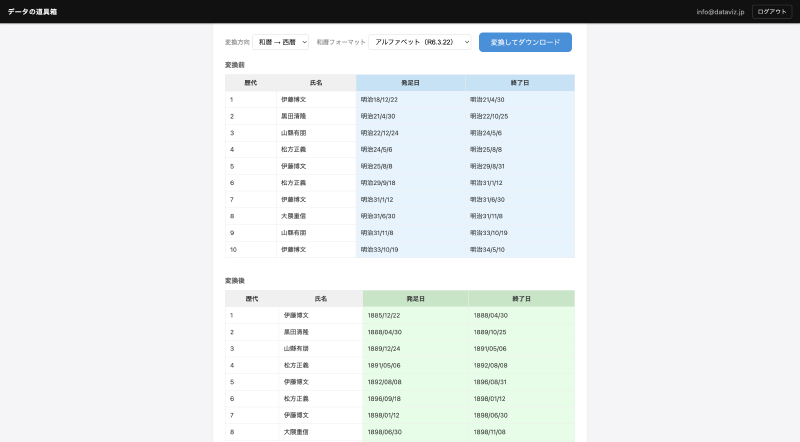
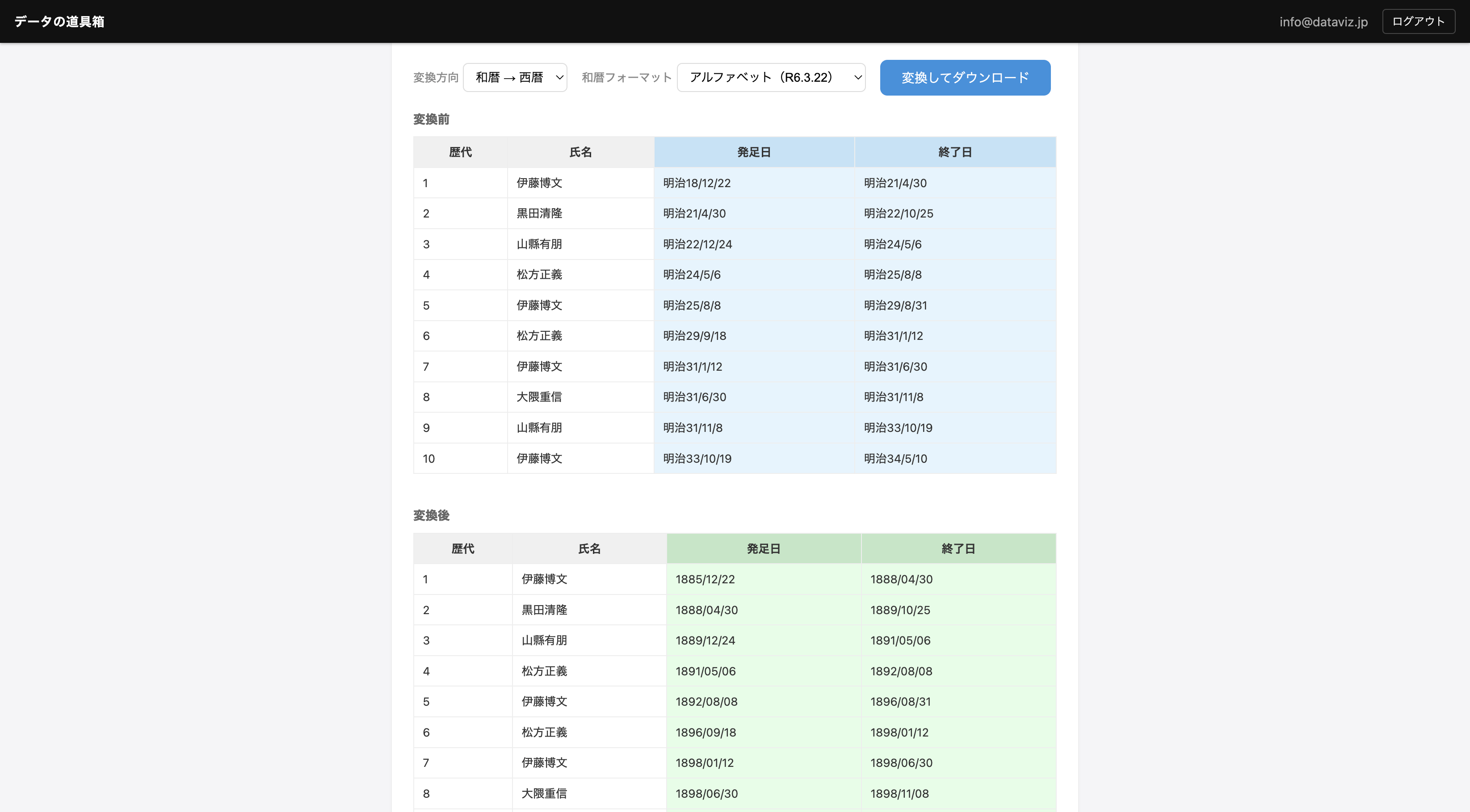
- CSV batch conversion — Drag & drop a CSV file to auto-detect date columns and batch-convert them. Preview the results before downloading
- Auto character encoding detection — Automatically detects UTF-8 and Shift_JIS, so CSV files created in Excel can be loaded as-is
- Multiple date formats supported — Accepts commonly used formats such as
R6.3.22,令和6年3月22日,2024/03/22,2024-03-22, and more - Output format options — When converting to Japanese era dates, choose between alphabetic notation (R6.3.22) or kanji notation (令和6年3月22日)
- Bilingual UI — The interface displays in Japanese or English based on your browser’s language setting
How to use
Manual conversion
- Enter a date in either the “Japanese era” or “Western” input field at the top of the page
- The converted result appears automatically in the other field
Batch file conversion
- Drag & drop a CSV file onto the drop area (or click to select a file)
- Date columns are auto-detected and a before/after preview is displayed
- Select the conversion direction (Japanese era → Western / Western → Japanese era) and format as needed
- Click “Convert and Download” to download the converted CSV
Data formats
Supported input formats
| Type | Example formats |
|---|---|
| Japanese era (alphabetic) | S49.9.24, H1-1-8, R6/3/22 |
| Japanese era (kanji) | 昭和49年9月24日, 令和元年5月1日 |
| Western | 2024/03/22, 2024-03-22, 2024.3.22 |
Supported eras
| Era | Abbreviation | Period |
|---|---|---|
| Showa (昭和) | S | 1926/12/25 – 1989/01/07 |
| Heisei (平成) | H | 1989/01/08 – 2019/04/30 |
| Reiwa (令和) | R | 2019/05/01 – |
Batch file conversion
- Supported file formats: CSV, TSV, TXT
- Delimiters (comma, tab) are auto-detected
- Character encoding (UTF-8, Shift_JIS) is auto-detected
- Output is UTF-8 (with BOM) CSV, which opens directly in Excel